
588PKR Withdrawal
The 588PKR withdrawal section allows account holders to request a payout from their available balance. Withdrawals can be made through the payment methods available on the account, including Easypaisa and JazzCash.
The process is simple: log in to your 588PKR account, open the withdrawal section, select your preferred payment method, enter the required details, and submit your withdrawal request.
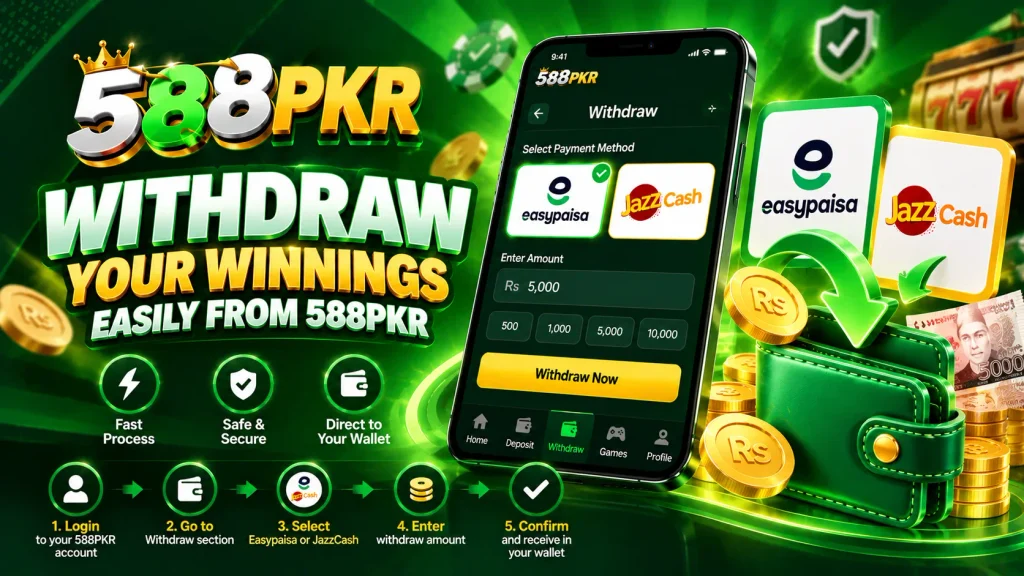
How to Withdraw from 588PKR
Follow these steps to submit a withdrawal request.
Step 1: Log In to Your 588PKR Account
Open 588PKR and log in using your registered account details.
After logging in, go to your account or wallet section where the withdrawal option is available.
Step 2: Open the Withdrawal Section
Select Withdraw from the available wallet or account options.
The withdrawal page will display the available withdrawal methods and the information required to complete your request.
Step 3: Select Easypaisa or JazzCash
588PKR withdrawals can be made through Easypaisa or JazzCash, depending on the payment options available in your account.
Select the payment method you want to use and enter the corresponding account details carefully.
Step 4: Enter the Withdrawal Amount
Enter the amount you want to withdraw in the required field.
Before continuing, make sure the amount meets the withdrawal limits displayed on the 588PKR withdrawal page.
Step 5: Enter Your Payment Details
Enter the required Easypaisa or JazzCash account information.
Check the details carefully, especially the mobile number or account information connected to your selected payment method.
Step 6: Check Your Withdrawal Information
Before submitting the request, review all the details you have entered:
- Withdrawal amount
- Selected payment method
- Easypaisa or JazzCash account details
- Other information required by the withdrawal form
Make sure everything is correct before confirming the request.
Step 7: Submit Your Withdrawal Request
After checking the information, select the Withdraw or Submit button.
Your withdrawal request will then be submitted for processing.
Step 8: Check Your Withdrawal Status
After submitting the request, you can check the withdrawal section or transaction history for the current status.
The time required to process a withdrawal may depend on the payment method and the conditions displayed in your account.
588PKR Withdrawal Methods
588PKR supports Easypaisa and JazzCash for withdrawals.
Easypaisa Withdrawal
If you want to receive your withdrawal through Easypaisa, select Easypaisa from the available withdrawal methods and provide the required account details.
Check the Easypaisa account information carefully before submitting your request.
JazzCash Withdrawal
For a JazzCash withdrawal, select JazzCash from the withdrawal options and enter the required JazzCash account details.
Make sure the information matches your intended receiving account before confirming the withdrawal.
Things to Check Before Withdrawing
Before submitting your 588PKR withdrawal request, check the following:
- You have sufficient withdrawable balance.
- Easypaisa or JazzCash is available as your selected withdrawal method.
- Your payment account details are correct.
- The withdrawal amount meets the displayed limits.
- You have reviewed the information before submitting the request.
588PKR Withdrawal Process
The complete withdrawal process can be summarized as:
Login → Wallet → Withdraw → Select Easypaisa/JazzCash → Enter Amount → Add Payment Details → Check Information → Submit Request
Following these steps helps you complete the withdrawal form correctly and send your request for processing.
Complete Your 588PKR Withdrawal
To withdraw from 588PKR, log in to your account and open the withdrawal section. Select Easypaisa or JazzCash, enter your withdrawal amount and payment details, carefully check the information, and submit your request.
Always use the correct payment account details and follow the withdrawal requirements displayed in your 588PKR account.